Auto-merge on Green
Many years ago I implemented "Merge on Green" in Peril, which took Artsy's cultural review format and made it explicit. I kept that workflow with me in different projects as I moved through different OSS communities,and now GitHub has built it into the system. However, it's awkward to set up because it's both off by default, and it relies on another github feature. Let's see what it takes to turn it on.
So, to get it set up you need to first go to Settings > Branches:
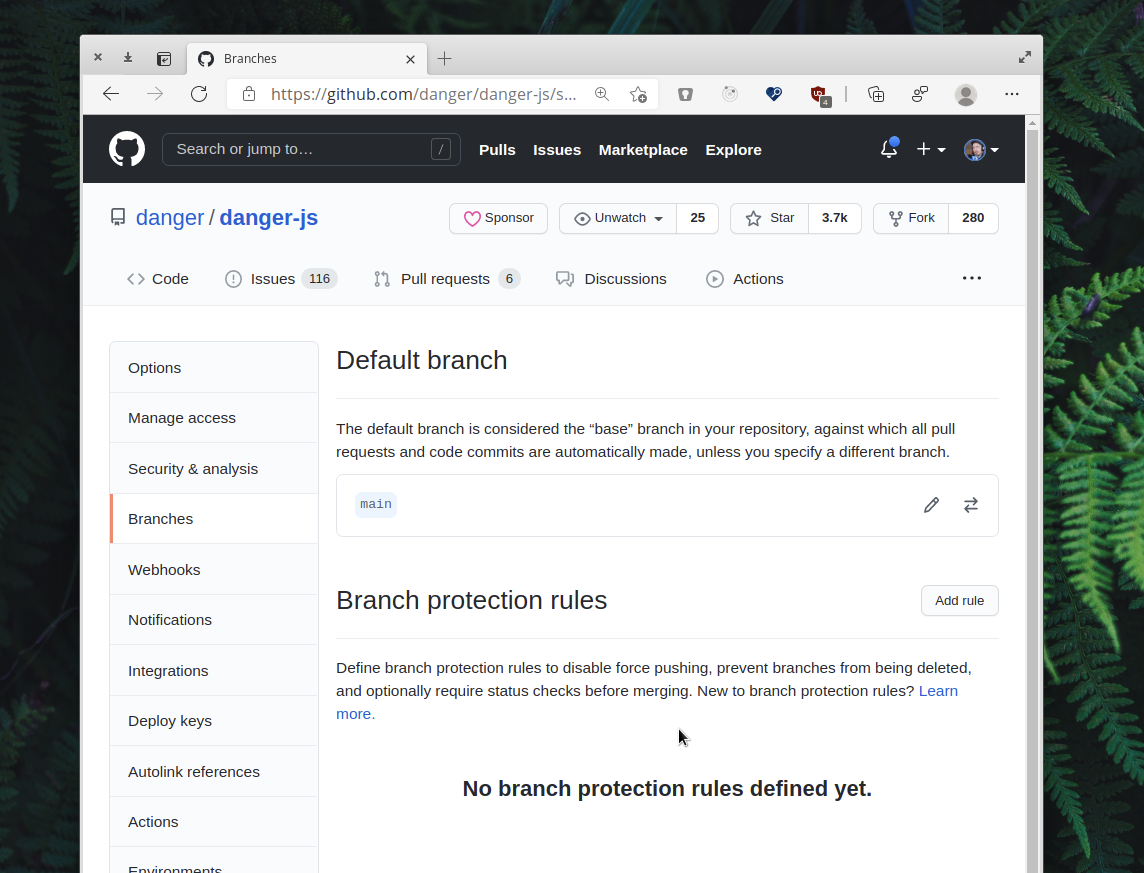
Then create a new rule:
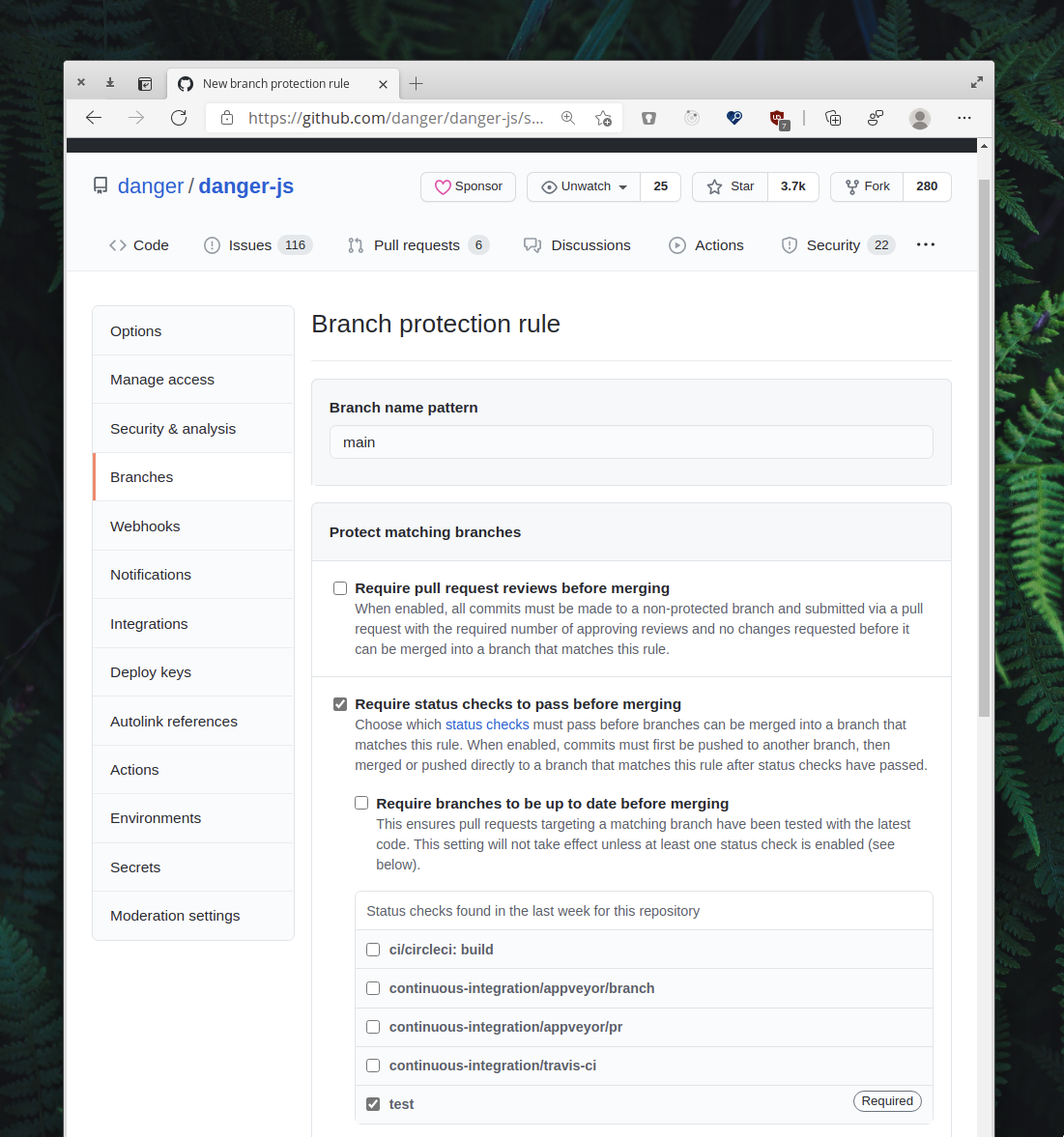
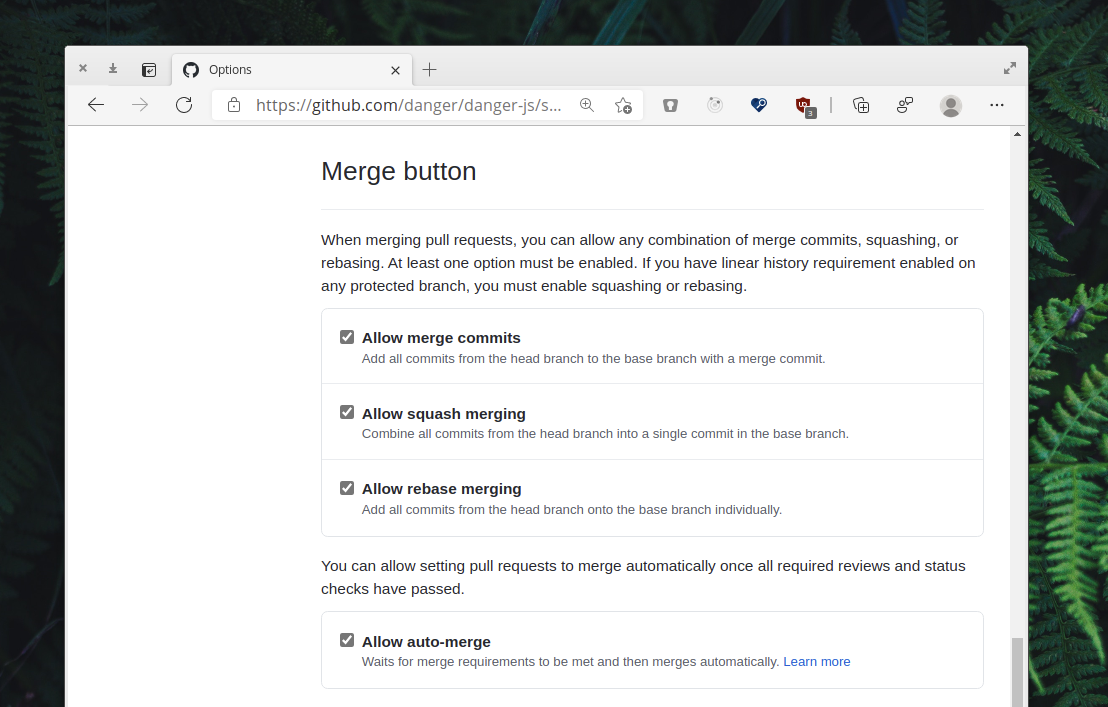
Select the CI statuses which need to pass, basically your tests, then hit "Create" at the bottom. Now you have the branch protection set up you can enable "Allow auto-merge" in the GitHub UI:
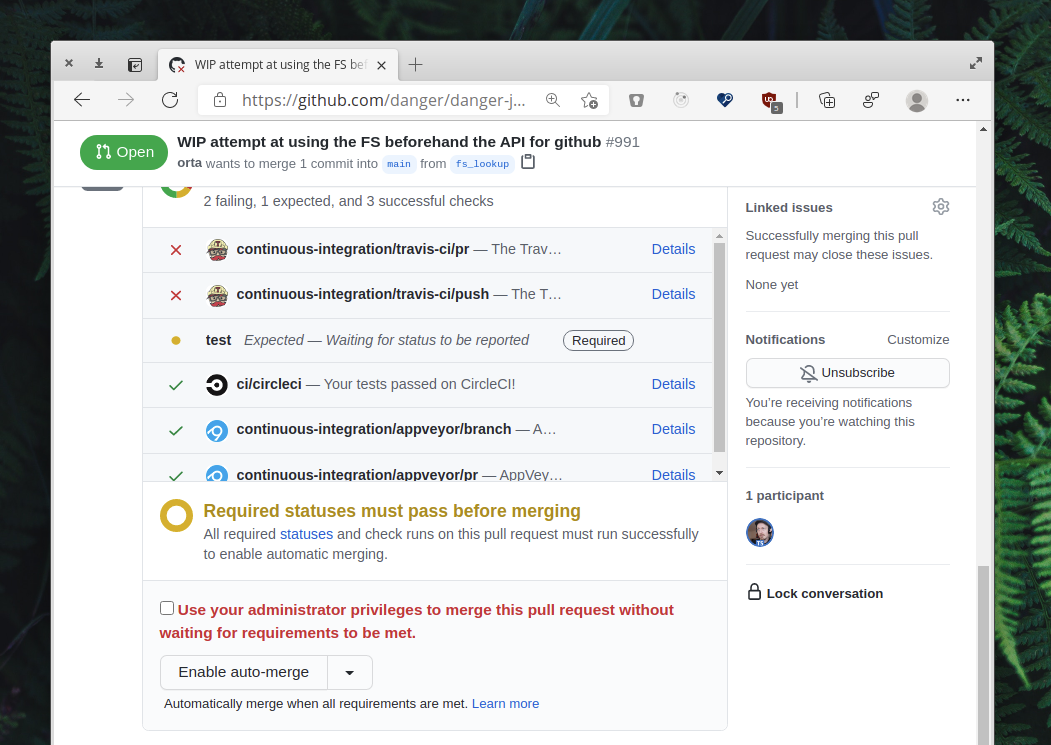
Then in a PR when you are ready, you get the "Enable auto-merge" button where the "Merge PR" button used to be:
That's it, now you have to do this for every repo you care about.